PSSOU Student Login: Portal Access, ABC ID and DEB ID Registration
- PSSOU students use online portals for academic services and examination forms.
- A DEB ID is mandatory for PSSOU ODL/Online programme admissions.
- Students must create a DEB ID using their ABC ID on the DEB portal.
- ATKT assignment answer books for the January–December 2026 session are due by 26 November 2026.
- PSSOU term-end examination results for July-June 2025-26 are available on www.pssou.ac.in.
Pandit Sundarlal Sharma (Open) University Chhattisgarh (PSSOU), also known as Pt. Sundarlal Sharma (Open) University Chhattisgarh, provides various online portals for its distance learners. Students need to access these portals for academic resources, examination forms, and results. This includes the main student login, as well as specific portals for creating and updating DEB ID and ABC ID. These IDs are mandatory for admission to ODL/Online programmes and for accessing certain university services.
What is PSSOU Student Login?
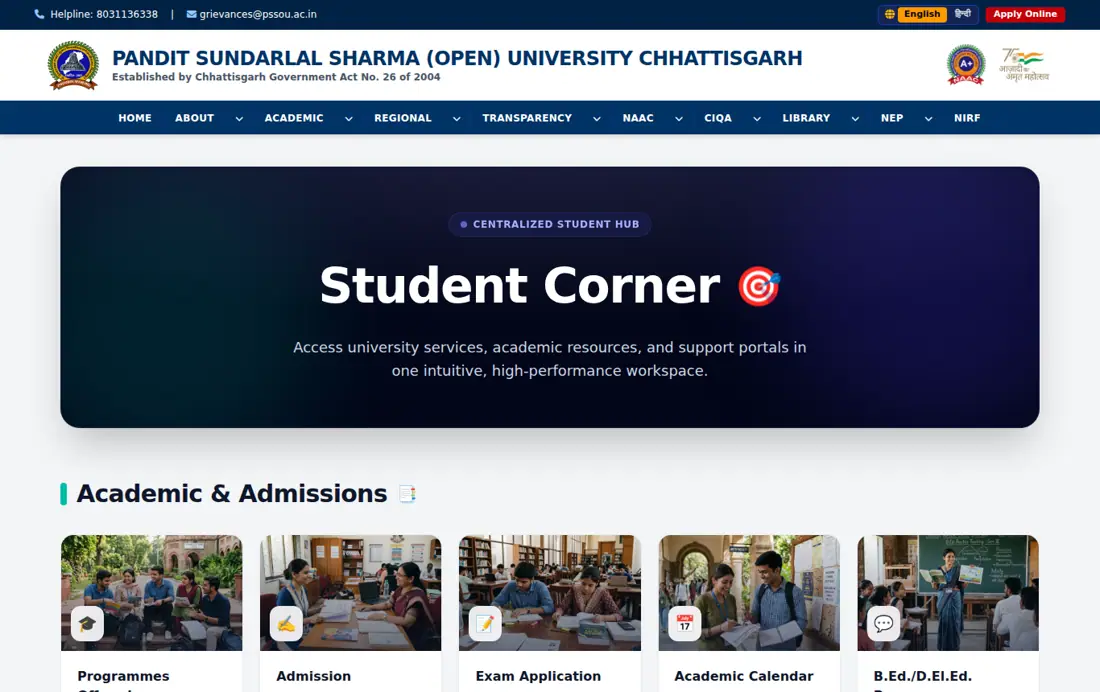
Pandit Sundarlal Sharma (Open) University Chhattisgarh (PSSOU) provides a Student Corner portal for its distance learners to access academic services. This portal allows students to manage their academic journey, including applying for admissions, submitting exam forms, and checking results. The main access point is through the PSSOU Student Corner on the university’s official website.
PSSOU Student Login Portals
PSSOU students can access various services through dedicated online portals maintained by the university. The primary access point for academic resources and support is the Student Corner on the official PSSOU website. Additionally, specific login portals exist for creating and managing mandatory IDs like the DEB ID.
- PSSOU Student Corner: pssou.ac.in/student This portal offers access to academic and admissions information, exam applications, results, admit cards, and support services.
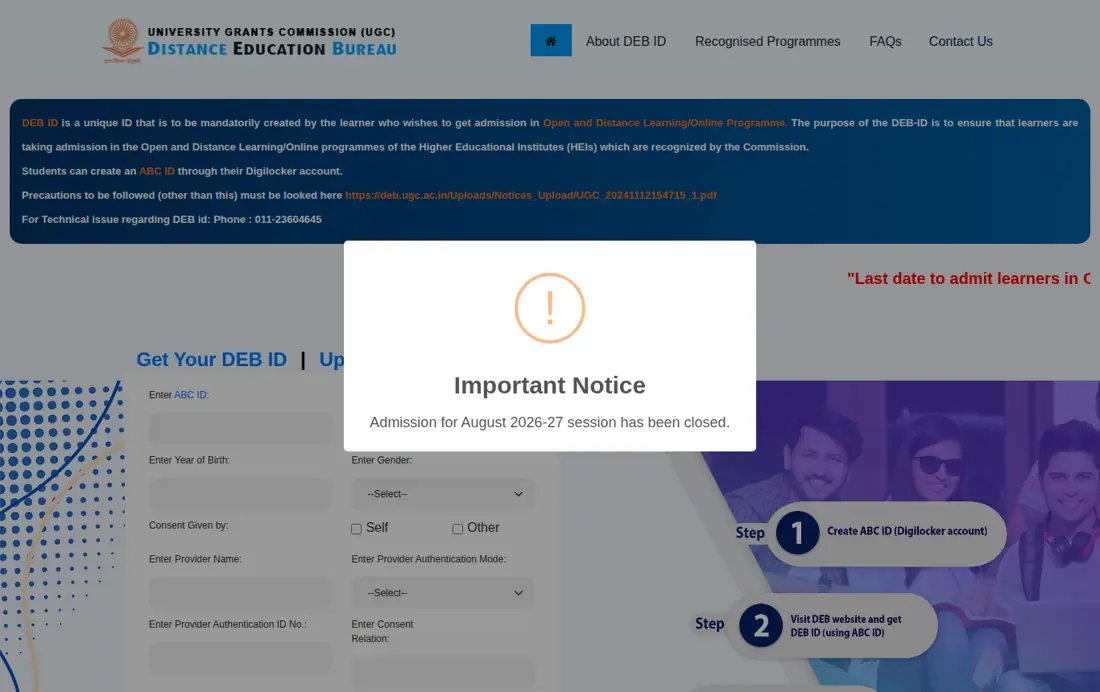
- DEB Portal: deb.ugc.ac.in ↗ This portal is for creating and updating the mandatory DEB ID, which is required for admission to ODL/Online programmes.
- Old Student Login: pssou.net ↗ This link is provided in the link directory, indicating a separate portal for old student logins.
How to Access PSSOU Student Corner Services?
The university has not published specific steps for logging in with an enrolment number or password on its main student portal as of 25 November 2026.
- Visit the official PSSOU Student Corner page.
- From this hub, students can find links to “Admission,” “Exam Application,” “Admit Card,” “Results,” and “Grievance Cell.”
PSSOU Student Login: Important Highlights
PSSOU provides several online resources for students, including portals for academic management and mandatory ID creation. These platforms are essential for distance learners to engage with university services and comply with regulatory requirements.
Key Features of PSSOU Student Access and IDs
| Feature | Details |
|---|---|
| Primary Student Hub | PSSOU Student Corner on pssou.ac.in |
| DEB ID Portal | deb.ugc.ac.in ↗ |
| DEB ID Purpose | Mandatory for ODL/Online programme admission |
| ABC ID Creation | Through DigiLocker account |
| ATKT Assignment Submission Deadline (Jan–Dec 2026) | 26 November 2026 |
| Term-End Exam Results (July–June 2025–26) | Available on www.pssou.ac.in |
What is PSSOU DEB ID and why is it mandatory?
The DEB ID is a unique identification number that is mandatory for all PSSOU learners who wish to get admission in ODL (Open and Distance Learning) or Online programmes. Its purpose is to ensure that students are enrolling in programmes offered by Higher Educational Institutions (HEIs) that are recognized by the University Grants Commission (UGC). This ID helps students confirm the recognition status of their chosen HEI and programme.
Students cannot enrol in any ODL/Online Programmes without a valid DEB ID. Once created, the DEB ID is valid across the entire life cycle of ODL/Online mode of learning.
How to Create a PSSOU DEB ID?
To create a DEB ID, PSSOU students must first have a valid ABC ID and then register on the official DEB portal. This process ensures compliance with UGC regulations for ODL/Online programmes.
- Ensure your APAAR/ABC Card information (name, date of birth, gender) is correct. If there are discrepancies, resolve them using the ABC Support Ticket System or the DigiLocker app, or by calling ABC support at 18008893511.
- Once your APAAR/ABC Card is confirmed correct, proceed to the DEB portal.
- Register yourself on the DEB portal using your ABC ID.
- Fill in the required details on the form, including ‘ABCID’, ‘Aadhaar Name’, ‘Birth Year’, ‘Gender’, ‘Email’, and ‘Mobile’.
- Provide ‘Provider Present’, ‘Provider Name’, ‘Provider Authentication Mode’ (e.g., PAN Card, Passport, UID, EPIC, Driving License), and ‘Provider Authentication ID’.
- Enter ‘Consent Relation’ and ‘Consent Place’.
- Complete the ‘Enter Captcha’ field.
- Check the ‘I Agree’ box.
- Click ‘Submit’ to create your DEB ID.
How to Create a PSSOU ABC ID?
A valid ABC ID is a prerequisite for creating a DEB ID, which is mandatory for PSSOU ODL/Online programme admissions. Students can easily generate their ABC ID through their existing DigiLocker account. A DEB ID cannot be created without an ABC ID.
- Access your DigiLocker account.
- Follow the instructions within DigiLocker to create your ABC ID.
- Ensure all details on your ABC ID are accurate before proceeding to create your DEB ID.
How to Update PSSOU DEB ID Details?
If a PSSOU student’s DEB ID details need correction or updating after creation, it is crucial to first verify and correct any discrepancies in their ABC/APAAR card. Only after the ABC/APAAR card is accurate should the DEB ID be updated.
- Check your APAAR/ABC Card for any mistakes or missing details, such as your name, date of birth, or gender.
- For any issues with your ABC ID or APAAR ID, use the ABC Support Ticket System, the DigiLocker app, or contact ABC support at 18008893511.
- Confirm that your APAAR/ABC Card is up-to-date after making corrections.
- Only after confirming the APAAR/ABC Card is correct, proceed to update your DEB ID on the Update Your DEB Details link.
How to Access PSSOU Admit Cards and Exam Results?
PSSOU students can access their admit cards and term-end examination results through the university’s online portals. These documents are crucial for appearing in exams and verifying academic performance.
For the July–June 2025–26 session, results for B.A., B.Sc., B.Com. First, Second, and Third Year, B.B.A. Second and Third Semester, and B.Com. First, Second, and Third Semester are available on www.pssou.ac.in.
- Visit the PSSOU Student Corner on the official university website.
- Navigate to the “Admit Card” section to download your hall ticket for upcoming examinations.
- Navigate to the “Results” section to view and download your term-end examination results.
PSSOU Grievance and Support Services
Pandit Sundarlal Sharma (Open) University Chhattisgarh offers various support and grievance redressal mechanisms for its students. These services are accessible through the Student Corner to address student queries and concerns.
- E-Samadhaan Portal: Available for general support and query resolution.
- Grievance Cell: Provides a channel for students to submit complaints.
- Help Desk: Offers assistance for various student-related issues.
- SC/ST/OBC Cell: Dedicated support for students from Scheduled Castes, Scheduled Tribes, and Other Backward Classes.
- Women Harassment Grievance Redressal Committee: Addresses specific complaints related to women harassment.
PSSOU Contact Details for Student Support
For technical assistance with student portals, examination queries, or general support, PSSOU provides official contact numbers and email addresses. Students can reach out to the university’s helpdesk for direct assistance.
- PSSOU Helpline Number: 8031136338
- PSSOU General Email: [[email protected]]
- Management Department Contact: 07752298322, 9938973044, 8962172176, 8839284370 (for BBA Project Viva Voce queries)
- PSSOU Registrar Email: [[email protected]]
- PSSOU Exam Controller Email: [[email protected]]
- DEB, UGC Email: [[email protected]]
- DEB, UGC Phone: 011-23604-664, 011-23604-666
- ABC Support Call Center: 18008893511
What students ask about PSSOU Student Login
What is the PSSOU student login portal?
The PSSOU student login portal is primarily the Student Corner on the official pssou.ac.in website, which serves as a centralized hub. Students can access academic resources, apply for admissions, submit exam forms, and check results from this portal. There is also an old student login page available.
Is DEB ID mandatory for PSSOU students?
Yes, a DEB ID is mandatory for all PSSOU students who wish to get admission in ODL (Open and Distance Learning) or Online programmes. Students cannot enrol in any ODL/Online programmes without a valid DEB ID. This ID ensures that students are admitted to UGC-recognized programmes.
Can I create a DEB ID without an ABC ID for PSSOU?
No, a DEB ID cannot be created without an ABC ID for PSSOU students. The ABC ID is a prerequisite for registering on the DEB portal and generating the mandatory DEB ID. Students must first create their ABC ID, typically through their DigiLocker account.
How long is a DEB ID valid for PSSOU students?
A DEB ID is valid for students across the entire life cycle of ODL/Online mode of learning. Once created, the DEB ID remains valid, allowing students to take admission simultaneously in two academic programmes as per UGC regulations.
Where can I find PSSOU exam results?
PSSOU exam results are available on the university’s official website, www.pssou.ac.in, specifically through the Student Corner under the “Results” section. For the July–June 2025–26 session, results for various B.A., B.Sc., B.Com. years and B.B.A., B.Com. semesters have been declared.
What is the last date for PSSOU ATKT assignment submission for January–December 2026 session?
The last date for submission of ATKT assignment answer books for the January–December 2026 session at PSSOU is 26 November 2026. Students must submit their assignment answer books to their respective regional offices by this deadline.
How do I contact PSSOU for student support?
For student support, PSSOU provides a helpline number 8031136338 and an email address [[email protected]]. For specific queries, the Management Department can be reached at 07752298322, 9938973044, 8962172176, 8839284370, and the Exam Controller at [[email protected]].
How can students create an ABC ID for PSSOU registration?
PSSOU students can create an Academic Bank of Credits (ABC) ID through their official DigiLocker account. After registering or logging into DigiLocker, students generate their ABC ID to complete their profile. This ABC ID is required before registering on deb.ugc.ac.in to generate the mandatory DEB ID.
How can PSSOU students correct or update details in their DEB ID?
PSSOU students must first verify and correct their name, date of birth, or gender in their APAAR or ABC card via DigiLocker or support.abc.gov.in. Once the card is updated, students visit deb.ugc.ac.in/StudentDEBId/UpdateDebDetails to update their DEB ID. For assistance, students can call the ABC helpline at 18008893511.
What was the deadline to fill the PSSOU ATKT examination form for January–December 2026 session?
The last date to fill the ATKT examination form for the PSSOU January–December 2026 term-end examination session was 16 November 2026. Students appearing for ATKT exams were required to submit the form to obtain assignment answer books from their regional office. Submissions after this date are not permitted.
What documents are mandatory for the PSSOU BBA final year project viva voce?
Students appearing for the PSSOU BBA third-year project viva voce must carry their final year Admit Card and Aadhaar Card. Candidates must also submit two hard copy sets and one soft copy of their project report before or on the viva day. Attendance is compulsory at the Sihawa Academic Building.
Quick reference
- University Name
- Pandit Sundarlal Sharma (Open) University Chhattisgarh (PSSOU)
- DEB ID Requirement
- Mandatory for ODL/Online programme admission
- ABC ID Requirement
- Mandatory for DEB ID creation
- DEB ID Validity
- Valid across the life cycle of ODL/Online learning
- ATKT Assignment Submission Deadline
- 26 November 2026 for January–December 2026 session
- PSSOU Website
- www.pssou.ac.in
- DEB Portal
- https://deb.ugc.ac.in
PSSOU Student Login official links and PDFs
- access PSSOU Student Cornerpssou.ac.in ↗
- create DEB ID using ABC IDdeb.ugc.ac.in ↗
- update DEB ID detailsdeb.ugc.ac.in ↗
- access ABC ID supportdeb.ugc.ac.in ↗
- access old student loginpssou.net ↗
- view DEB ID FAQsdeb.ugc.ac.in ↗
- PSSOU BA BSc BCom Final Year Exam Results 2026 PDF — PSSOU BA BSc BCom Final Year Exam Results 2026
- PSSOU Term End Examination Results Notification July-June 2025-26 PDF — PSSOU Term End Examination Results Notification July-June 2025-26
- PSSOU ATKT Exam Form and Assignment Submission Notice 2026 PDF — PSSOU ATKT Exam Form and Assignment Submission Notice 2026
- PSSOU B.Lib I.S.C Contact Classes Ambikapur Jashpur Notice 2026 PDF — PSSOU B.Lib I.S.C Contact Classes Ambikapur Jashpur Notice 2026
In this section
- PSSOU Scholarship and Fee Concession: Qualification and Refund Rules
- PSSOU Migration Certificate Rules, Application Forms & Fees
- How to Submit Student Grievances on pssou.ac.in Help Desk Portal