
How to Submit Student Grievances on pssou.ac.in Help Desk Portal
Part of PSSOU Student Services: PSSOU Student Login: Portal Access, ABC ID and DEB ID Registration
PSSOU addresses student grievances at pssou.ac.in through dedicated support channels, including general email at [email protected] and telephone at 07752-298309. Students can also report portal technical issues directly to [email protected].
- PSSOU students can apply for revaluation or retotaling online by logging into the student portal using their registered mobile number.
- PSSOU provides email support for technical issues at [email protected] and general grievances at [email protected].
- For fee and payment grievances, PSSOU requires students to supply their Application ID, payment mode, date, amount, and UTR number.
- PSSOU allows distance learners to apply online for duplicate marksheets, migration certificates, and provisional degrees.
How do I apply for PSSOU revaluation or retotaling online?
PSSOU allows students to submit requests for revaluation and retotaling of examination answer scripts through its official student login portal. Students must log in using their registered credentials to access the revaluation application module.
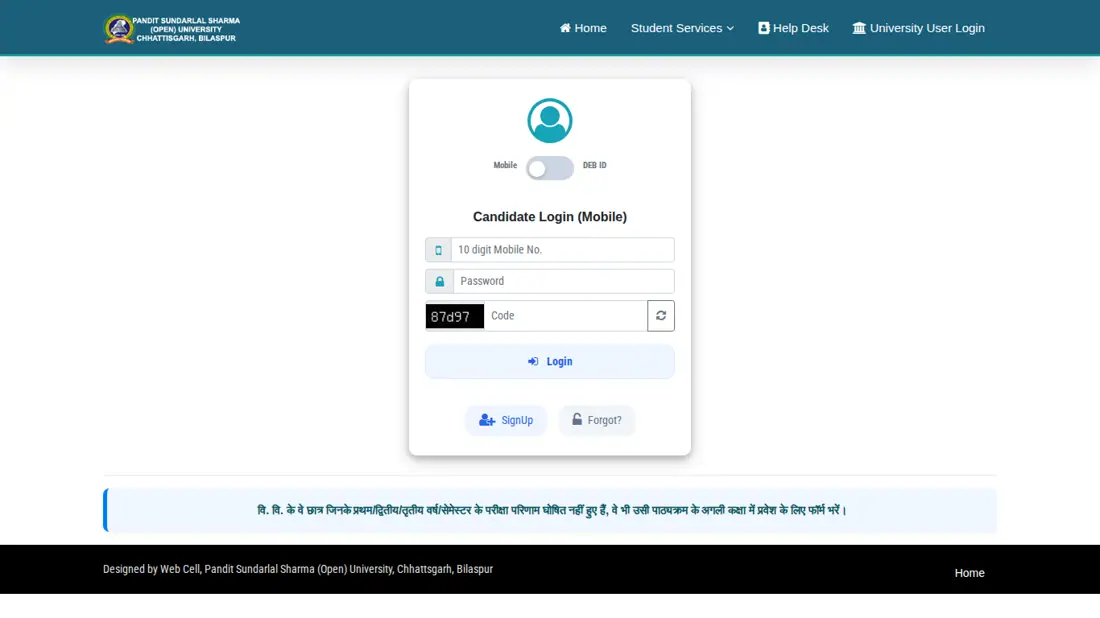
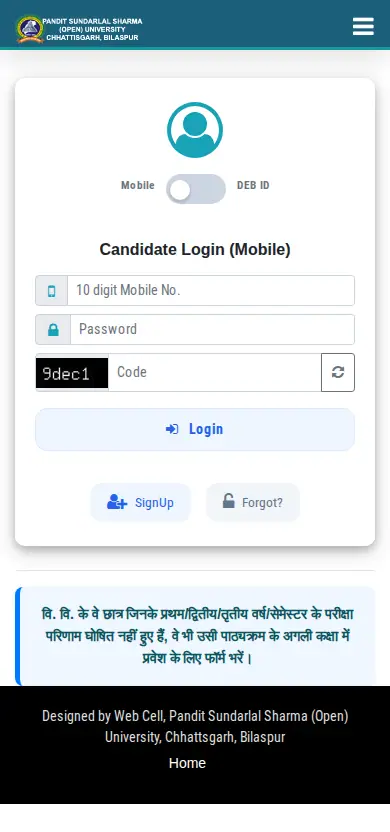
- Open the PSSOU student login portal.
- Choose candidate login using your registered 10-digit mobile number or Distance Education Bureau ID (DEB ID) with Academic Bank of Credits ID (ABC ID).
- Enter your account password and captcha code to log in.
- Select the revaluation or retotaling option for your published examination result and submit the application.
How can I submit PSSOU grievances to the help desk?
PSSOU operates dedicated email help desks and telephone support lines for resolving technical, admission, and general student grievances. Students reporting fee or transaction issues must include specific payment details in their query.
- Technical issue email: [email protected]
- Admission information email: [email protected]
- General grievance email: [email protected]
- Help desk support phone: 07752-298309
- University general contact: 07752-213073
- Open the PSSOU help desk contact page.
- Provide your Application ID (such as FR13… or PR13…).
- Select your payment mode from UPI, Card, or Netbanking.
- Enter the payment date, transaction amount, and UTR or reference number before submitting your query.
Where do I track PSSOU application status and request documents?
PSSOU provides online services to track application status and request official academic certificates directly through its web portal. Students needing corrections or official documents can initiate requests online.
- Use the PSSOU main web portal to check application status and fee payment verification.
- Submit online applications for duplicate marksheets, migration certificates, and provisional degrees.
- Always note down and preserve the Application ID generated after submitting any request.
Where can I find PSSOU revaluation and retotaling results?
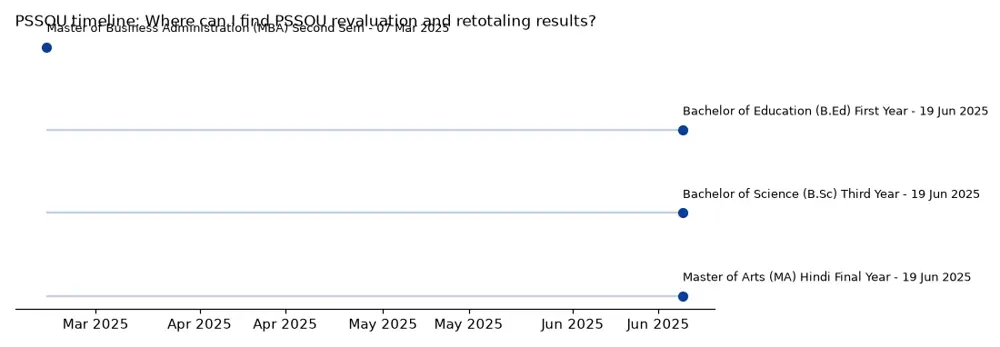
PSSOU publishes revaluation and retotaling results directly on its official results portal. For instance, PSSOU released revaluation results for Master of Business Administration (MBA) Second Semester for the June-July 2024 session on 07 March 2025, and Bachelor of Education (B.Ed) First Year for the December 2024 session on 19 June 2025.
Sample PSSOU Revaluation Result Declarations
| Programme Name | Exam Session | Declaration Date |
|---|---|---|
| Master of Business Administration (MBA) Second Semester | June-July 2024 | 07 March 2025 |
| Bachelor of Education (B.Ed) First Year | December 2024 | 19 June 2025 |
| Bachelor of Science (B.Sc) Third Year | December 2024 | 19 June 2025 |
| Master of Arts (MA) Hindi Final Year | December 2024 | 19 June 2025 |
What students ask about PSSOU Corrections
How can I submit a general grievance to PSSOU?
PSSOU accepts general student grievances via email at [email protected] or through telephone at 07752-298309. Students facing administrative or non-technical issues should email this desk along with their full name, enrollment details, and relevant problem description. If your grievance concerns an active application, keep your generated Application ID (such as FR13… or PR13…) ready for reference. If phone or email support does not resolve your concern, you can also contact the general university contact line at 07752-213073.
What is the PSSOU technical support email for portal errors?
PSSOU provides technical grievance resolution through the dedicated email address [email protected]. Students encountering errors while filling online admission forms, making payments, or logging into student portals must write to this address. You should include your registered 10-digit mobile number, DEB ID, and screenshots or error descriptions in the message. If technical issues persist without reply, try calling the support team directly at 07752-298309 during office hours.
How do I report a PSSOU fee payment failure or discrepancy?
PSSOU resolves fee payment issues when students submit details to the university help support team. When reporting a payment grievance, you must provide your Application ID, payment mode, transaction date, payment amount, and UTR or reference number. You can submit these details via email or through the official PSSOU contact form.
Where do I apply for a duplicate marksheet from PSSOU?
PSSOU accepts online applications for duplicate marksheets through its official web portal at pssou.net. Distance learners can also apply for migration certificates and provisional degrees using the same online service portal. Make sure to note down and safely retain the generated Application ID after submitting your request for subsequent status checks. If you experience processing delays, submit your Application ID to the help desk team at 07752-298309 or email [email protected].
How do I log in to submit a revaluation request at PSSOU?
PSSOU requires students to access the old student login portal to apply for revaluation or retotaling. You can log in using either your registered 10-digit mobile number or your Distance Education Bureau ID (DEB ID) along with your password. Once logged in, navigate to the revaluation option to select your subject.
What email should I use for PSSOU admission queries?
PSSOU handles admission inquiries and admission-related grievances through the dedicated email address [email protected]. Prospective and continuing distance education learners should write to this address regarding eligibility issues, course details, or application form errors. Include your registered 10-digit mobile number, DEB ID, or reference details to receive prompt help from the admission cell. For technical failures during online application submission, email [email protected] instead or call 07752-298309.
How can I check the status of my application or fee payment on PSSOU portal?
PSSOU allows students to verify their application and fee payment status directly on the official portal at pssou.net by clicking Check Your Application. You must enter your generated Application ID (such as FR13… or PR13…) to view the current processing stage. The status tool helps confirm whether your payment has been successfully linked to your admission or document request. If your payment shows pending after bank deduction, submit transaction details to the help desk team.
Who coordinates the Student Support Portal Cell at PSSOU?
PSSOU operates a Student Support Portal Cell coordinated by Mr. Resham Lal Pradhan, Assistant Professor. The cell includes Dr. Deepak Kumar Pandey, Computer Programmer (reachable at 9827152903), and Mr. Linendra Soni as active members. Students facing administrative or portal coordination difficulties can contact this cell for guidance regarding portal services. If your technical issue is unhandled, you can also reach out to [email protected] or call 07752-298309.
How do students file a complaint with the Women Harassment Grievance Redressal Committee at PSSOU?
PSSOU has constituted a dedicated Women Harassment Grievance Redressal Committee (Vishakha Committee) to address workplace and campus harassment complaints. Female students and staff can submit complaints online via the Online Complaint Form available on the university website. The committee operates in compliance with Vishakha guidelines issued as per Higher Education Directorate order dated 19 May 2021. For immediate administrative support, learners can also visit the university headquarters at Birkona, Bilaspur.
What portal link is used to apply for revaluation or retotaling of PSSOU results?
PSSOU processes revaluation and retotaling applications exclusively online at www.pssou.net/portal/old_student_login.php. Students must log in using their registered 10-digit mobile number or Distance Education Bureau ID (DEB ID) along with their password. Once logged in, select the desired subject from your published examination result to register the request. If you encounter login errors during application, contact technical support at [email protected] or call 07752-298309.
Can failed or result-awaited students apply for admission to the next class at PSSOU?
PSSOU permits students enrolled in first or second year who have failed or are awaiting examination results to apply for admission to the next higher class. Eligible learners must log into the student portal using their registered mobile number or DEB ID and submit the required course fee. If paying fees via bank challan, candidates must upload a clear scanned copy on the completed form and fill mandatory entries. If payment verification fails, contact [email protected].
How do I submit a grievance or application if my PSSOU fee payment was made via bank challan?
PSSOU requires students paying admission or course fees via bank challan to upload a scanned copy of the challan directly onto their completed application form. Candidates must also fill all mandatory entries required on the online form to complete submission. If payment verification fails after uploading the scanned receipt, email your generated Application ID and details to [email protected] or call support at 07752-298309.
How do students apply for the PSSOU ATKT examination for the December 2026 session?
PSSOU allows students to apply for the ATKT Exam for the December 2026 session online through its official portal. Candidates must log in to the portal using their previously registered 10-digit mobile number to access the ATKT examination application form. If you encounter any technical errors during application or form submission, write to [email protected] or call the support line at 07752-298309 for immediate assistance.
How can students download their PSSOU admit card for the June-July 2026 regular examination?
PSSOU provides an online portal link for students to download hall tickets for the June-July 2026 regular examination session. Candidates must visit the main university portal home page and click on the designated Download Examination Admit Card option. If you encounter downloading issues or portal errors during access, write immediately to techsupport@pssou.ac.in or call the support line at 07752-298309. Learners should keep their registered 10-digit mobile number or DEB ID available to log in smoothly.
How can students create a DEB ID using their ABC ID for PSSOU student portal access?
PSSOU provides a direct portal link on its official website allowing distance education students to generate a DEB ID using their Academic Bank of Credits ID (ABC ID). Learners must select the Link To Create DEB Id Using ABC ID option on the main portal to initiate registration. Once generated, the DEB ID along with the registered 10-digit mobile number serves as official login credentials for student services and revaluation forms. For assistance with DEB ID creation failures or portal glitches, email techsupport@pssou.ac.in or call 07752-298309.
What payment modes can be selected when reporting a fee transaction grievance on the PSSOU portal?
PSSOU permits students to choose UPI, Card, or Netbanking as their payment mode on the help desk contact form. Candidates submitting a fee payment grievance must also enter their generated Application ID, payment date, amount, and UTR or reference number. If your status displays pending following a bank deduction, submit these required details online or write to [email protected]. Students needing urgent assistance with fee verification can also contact the help desk team directly at 07752-298309.
Quick reference
- Revaluation Portal
- PSSOU Student Login Portal
- Technical Support Email
- [email protected]
- Admission Query Email
- [email protected]
- General Grievance Email
- [email protected]
- Helpdesk Phone Number
- 07752-298309
- University Contact Number
- 07752-213073
PSSOU Corrections official links and PDFs
- track application status or request duplicate certificatespssou.net ↗
- log into the student revaluation portalpssou.net ↗
- contact the PSSOU help deskpssou.net ↗
- access candidate login for student panelpssou.net ↗
More on Student Services