
Checking Your PSSOU Application Status: Online Steps and Login
Part of PSSOU Admission: PSSOU Admission 2026: Courses, Eligibility and Fees
- PSSOU application status can be checked online through the university’s official website.
- Students must have their application ID to view their PSSOU application status.
- Payment status for PSSOU admissions can also be viewed via the same portal.
- New admissions for PSSOU are open for the July-June 2026-27 session.
- Old PSSOU students can log in using their registered mobile number or DEB ID.
How to check PSSOU application status online?
PSSOU students can check their application status and fee payment status online through the university’s official website.
You must note down your application ID after submitting any application, as it is required for checking status.
- Visit the PSSOU official website.
- Locate the “Check Your Application” section.
- Click the link provided below “To View the Status of application and fee payment”.
- PSSOU has not published the exact fields required on the status check page as of 08 October 2026, but an application ID is generally required.
How do old students use PSSOU application status login?
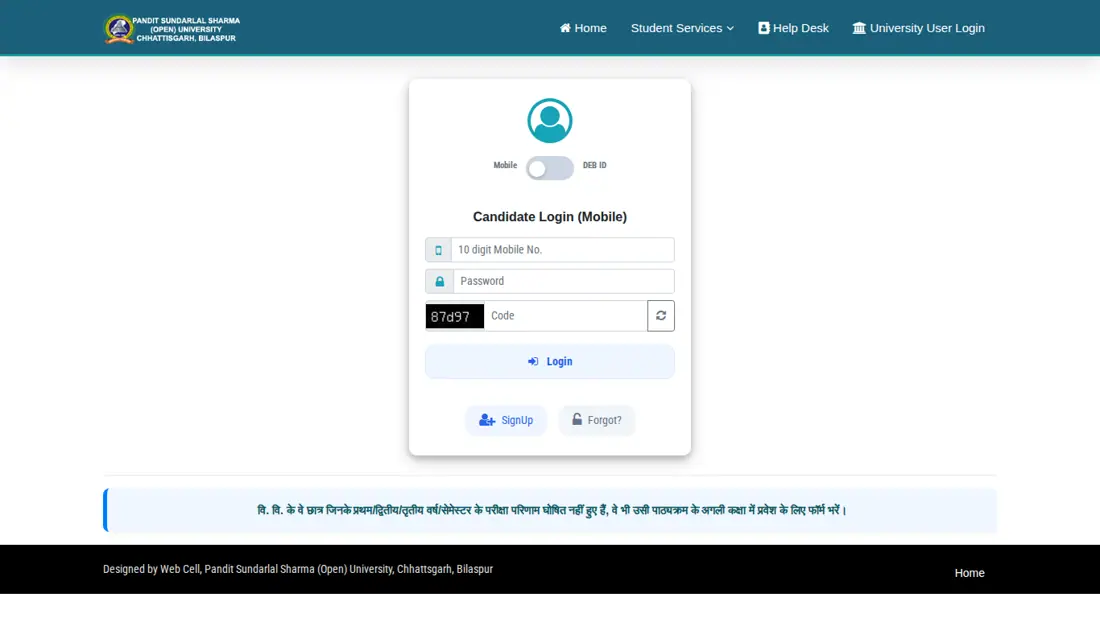
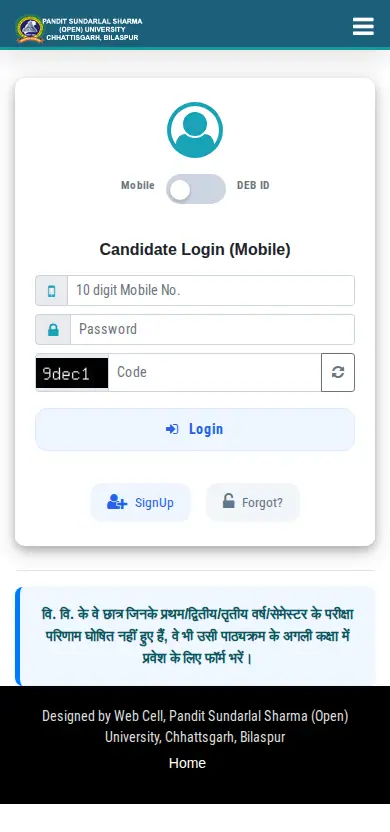
PSSOU old students can log in to the student portal using their registered mobile number or DEB ID.
This login is used for various purposes, including applying for the next class if previous results are pending.
- Go to the PSSOU old student login page.
- Select your login method: “Candidate Login (Mobile)” or “Candidate Login (DEB ID)”.
- If using Mobile, enter your 10-digit Mobile No. and Password.
- If using DEB ID, enter your DEB ID and ABC ID.
- Enter the displayed Code.
- Click the “Login” button.
What is the PSSOU admission session for 2026-27?
PSSOU is currently accepting applications for admission for the July-June 2026-27 session.
Admissions are open for both ODL (Open and Distance Learning) and Online modes.
More from PSSOU
How to create a DEB ID for PSSOU?
PSSOU provides a link on its official website to create a DEB ID using an ABC ID.
The Distance Education Bureau (DEB) portal allows users to get a DEB ID, which may be required for student identification.
What students ask about Checking Your PSSOU Application Status
How do I check my PSSOU application status?
You can check your PSSOU application status online by navigating to the “Check Your Application” section on pssou.net. You will need the application ID generated during form submission to view your current application and fee payment status. If you paid fees using a bank challan, you must upload a scanned copy of the challan to complete your application entry. For old students, logging in via registered mobile number or DEB ID allows tracking of class progression status.
What is the PSSOU application status login?
PSSOU does not have a separate “application status login.” Instead, you check the status directly via a link on the main website. However, old students can log in to their portal using their registered mobile number or DEB ID for other admission-related tasks, such as applying for the next class.
What is the current admission session for PSSOU?
PSSOU is currently accepting admission applications for the July-June 2026-27 academic session. This session allows students to enroll in both Open and Distance Learning (ODL) and Online learning programmes. Students awaiting first or second-year exam results or those who failed are also eligible to apply for the next class. Candidates must note their application ID after form submission to check payment and admission status on pssou.net.
Can I apply for the next class at PSSOU if my previous year’s result is not declared?
Yes, PSSOU permits students awaiting their first, second, or third-year/semester examination results, or those who have failed, to apply for the next class. These students must log in to the student portal using their registered mobile number or DEB ID. After logging in, they should proceed to pay the required course fees to secure their admission.
What is a DEB ID and how do I get one for PSSOU?
A DEB ID is an identification number issued by the Distance Education Bureau, essential for student identification and various university services. To obtain one, PSSOU provides a direct link on its official website to create a DEB ID using your ABC ID. You can also visit the DEB portal at deb.ugc.ac.in/Login to get your ID. This ID is crucial for old students logging into the PSSOU portal.
How do I check my PSSOU fee payment status?
You can check your PSSOU fee payment status by visiting the official university website, pssou.net. Look for the “Check Your Application” section and click the link provided to view the status of your application and fee payment. You will need the application ID that was assigned to you after submitting your application.
What should I do if I forget my PSSOU old student login password?
If you forget your PSSOU old student login password, you should navigate to the PSSOU old student login page. On the login interface, look for a “Forgot Password?” link or option. Clicking this will typically guide you through a process to reset your password, likely requiring your username or registered mobile number for verification.
What is an ABC ID and how is it related to PSSOU?
An ABC ID is an Academic Bank of Credits ID, a unique identifier for students in the Indian education system. For PSSOU, your ABC ID is specifically used to create your DEB ID, which is necessary for various university services and old student logins. PSSOU provides a direct link on its official website to facilitate the creation of your DEB ID using your ABC ID.
How do I apply for ATKT exams at PSSOU for December 2026?
You can apply for the PSSOU ATKT exam for December 2026 directly on the main portal link. Students must log in using their previously registered mobile number to access the ATKT examination application form. Make sure to complete the online form and submit any required course or examination fee through the designated student portal. Always note down the application ID generated after submission to monitor your exam application status.
How do students apply for revaluation or retotaling at PSSOU?
Students can apply for revaluation or retotaling by logging into the old student portal at pssou.net. To access the revaluation application, log in using your registered 10-digit mobile number and password or your DEB ID with ABC ID. After entering the portal, select the revaluation or retotaling option for your specific examination result and pay the fee. Ensure you note your application ID after submitting the revaluation request to verify your payment and application status.
What is required if I pay my PSSOU admission fee using a bank challan?
If you pay your PSSOU admission fee via a bank challan, you must upload a scanned copy of the completed challan online. Log into your application form on pssou.net and enter all required payment details along with the uploaded scan. Failing to upload the scanned challan copy will prevent your fee payment status from being updated and verified. Remember to record your application ID after completing the upload process to check your status later.
How do students download the PSSOU regular exam admit card for June-July 2026?
Students can download their PSSOU regular exam admit card directly through the main website portal at pssou.net. This online download facility is available for candidates appearing in the June-July 2026 examination session. To access the hall ticket, navigate to the portal and click on the download link for regular exam admit cards. Make sure to keep your registered mobile number or enrollment details ready to proceed with downloading the document.
How can students apply for a migration certificate or duplicate marksheet at PSSOU?
You can apply online for a migration certificate, duplicate marksheet, or provisional degree through the main PSSOU portal at pssou.net. Applicants must select the document service link on the homepage and submit the necessary details online. After successfully submitting your application request, note down the generated application ID to track your document status later. If any issue arises during submission, ensure your payment details and student registration records are correctly entered.
How can students log into the PSSOU old student portal using DEB ID and ABC ID?
PSSOU old students must visit www.pssou.net/portal/old_student_login.php and select the Candidate Login (DEB ID) option. To authenticate, candidates enter their issued DEB ID, linked ABC ID, and the displayed security code before clicking Login. This portal access allows continuing students awaiting results for the July-June 2026-27 session to deposit course fees and complete form entries. If you do not have a DEB ID, you must first generate it via deb.ugc.ac.in/Login using your ABC ID.
What information does the PSSOU application status check provide?
The PSSOU application status check primarily provides your current application status and fee payment status. New applicants for the July-June 2026-27 session can use their application ID on pssou.net to verify if their admission form was successfully processed and payment received. Old students logging in via their registered mobile number or DEB ID can also track their class progression status. This ensures you are aware of your admission standing.
What should I do if my PSSOU application status is incorrect or pending for too long?
If your PSSOU application status appears incorrect or remains pending for an extended period, first re-verify all submitted details, especially payment information and challan uploads for the July-June 2026-27 session. Ensure your application ID was correctly entered on pssou.net. If the issue persists, it is advisable to contact the university directly for clarification. You can also join the Official WhatsApp Channel for regular updates on admission processes.
Quick reference
- Current Admission Session
- July-June 2026-27
- Required for Status Check
- Application ID
- Login for Old Students
- Mobile Number or DEB ID
- Revaluation/Retotaling Login
- Old Student Login
Checking Your PSSOU Application Status official links and PDFs
- PSSOU official websitepssou.net ↗
- PSSOU old student loginpssou.net ↗
- DEB login portaldeb.ugc.ac.in ↗
More on Admission
- PSSOU Admission 2026: Step-by-Step Application Process
- PSSOU Fee Structure 2026: Course Fees and Payment Modes
- PSSOU Admission 2026: Courses, Eligibility and Fees
- PSSOU Admission Last Date and Status for 2026-27 Session
- PSSOU Notification 2026-27: Admissions, Exams and Results
- PSSOU Prospectus 2026: Courses, Eligibility and PDF Download