
PSSOU Re-Registration 2026: Second and Third Year Form and Fee
Part of PSSOU Admission: PSSOU Admission 2026: Courses, Eligibility and Fees
- PSSOU allows students who failed or are awaiting results in their current year to re-register for the next class.
- Distance learners must log into the PSSOU student portal using their registered mobile number to pay fees.
- Students paying fees via bank challan must upload a scanned copy of the paid challan on their form.
- Every re-registering student must note down their generated application ID after submitting the online form.
Pandit Sundarlal Sharma (Open) University Chhattisgarh, also known as PSSOU Bilaspur, conducts online re-registration for distance education learners promoting to the second and third academic years. Under university regulations, students who passed, failed, or are awaiting their term-end examination results in the first or second year are eligible to take admission in the next class. Candidates complete the re-registration process by logging into the student portal with their registered mobile number, selecting their course fee payment method, and linking their DEB ID generated through their Academic Bank of Credits account.
What is the PSSOU re-registration policy for second and third year students?
Pandit Sundarlal Sharma (Open) University Chhattisgarh permits enrolled first-year and second-year distance learners to register for their next academic year on the PSSOU online portal. University regulations specify that students who failed their previous year examinations or are awaiting term-end results remain fully eligible for next-class admission.
PSSOU has not published specific deadline dates or programme-wise fee amounts for the 2026 re-registration session on its site as of 09 November 2026.
- First-year students who successfully passed their term-end examinations
- First-year students who failed or received ATKT status in their examinations
- Second-year students awaiting their official term-end examination results
How to complete PSSOU re-registration online?
Candidates must access the official PSSOU old student login portal to submit their second-year or third-year course fee. Students enter their registered mobile number to log into their candidate profile and complete the re-registration form.
- Open the official PSSOU online admission portal and select the old student login option.
- Enter your previously registered mobile number to access your candidate account.
- Select the next academic year class and verify your pre-filled candidate profile details.
- Choose your preferred course fee payment method from the available portal options.
- Submit the fee online or upload the scanned copy of your paid bank challan.
- Note down the system-generated application ID displayed on your screen after submission.
What details and documents are required for PSSOU re-registration?
Re-registering candidates must maintain an active registered mobile number and create a Distance Education Bureau ID prior to form submission. PSSOU mandates linking an Academic Bank of Credits account to generate the required DEB ID.
- Previously registered mobile number used during first-year admission
- Distance Education Bureau ID generated via ABC ID on the official DEB site
- Scanned image of fully filled application form and paid bank challan (for offline fee payers)
- Generated application ID for tracking fee payment status
What to do if paying PSSOU re-registration fees via bank challan?
Students paying their PSSOU course fee offline through bank challan must upload the scanned receipt image to validate their re-registration form. After depositing the fee at the designated bank branch, candidates must complete their online entry.
- Download the official bank challan slip from the university portal.
- Deposit the prescribed course fee at the designated bank branch.
- Scan the complete paid bank challan copy showing the bank seal and payment receipt details.
- Log into the PSSOU old student portal using your registered mobile number.
- Upload the scanned challan copy onto the application form and enter all required payment details.
How to check PSSOU re-registration application status?
Candidates who complete their online re-registration form can verify their application and payment status on the official PSSOU online admission portal. Students enter their application ID on the portal verification page to confirm fee receipt.
- Open the PSSOU admission portal home page.
- Click on the Check Your Application option.
- Enter your assigned application ID into the required field and submit to view your status.
What students ask about PSSOU Re-Registration
Who is eligible for PSSOU second year re-registration?
Students enrolled in first-year distance programmes at Pandit Sundarlal Sharma (Open) University Chhattisgarh are eligible for second-year re-registration. Eligibility applies to candidates who passed, failed, or are currently awaiting their first-year term-end examination results. Eligible students must log in using their registered mobile number on the PSSOU online portal to deposit their next-year course fee.
Can students who failed first year re-register for PSSOU second year?
Yes, candidates who failed their first-year or second-year examinations at Pandit Sundarlal Sharma (Open) University Chhattisgarh are permitted to take admission in the next class. University regulations state that failed candidates and result-awaited students can re-register by logging into the PSSOU old student portal. Students must pay the required course fee to confirm their promotion to the next year.
How can I pay my PSSOU re-registration fee offline?
Students who choose offline fee payment must deposit their course fee using a bank challan at an authorized bank branch. After completing the payment, candidates must scan the paid challan copy and log into the PSSOU portal. They must upload the scanned challan image onto their filled application form and submit the mandatory transaction details to complete registration.
What is the DEB ID requirement for PSSOU re-registration?
Pandit Sundarlal Sharma (Open) University Chhattisgarh requires all re-registering students to generate and submit a Distance Education Bureau ID. Candidates must link their Academic Bank of Credits ID on the UGC DEB portal at deb.ugc.ac.in/StudentDEBId to create this identification number. After generating the DEB ID, students must log into pssou.net using their registered mobile number and enter the ID into their online re-registration form. If the submission fails, candidates can re-verify their ABC ID details on the DEB portal before re-submitting.
How do I check my PSSOU re-registration payment status?
Students can check their re-registration fee payment status online through the PSSOU admission portal at pssou.net. Candidates must click on the Check Your Application option on the homepage and enter their assigned application ID to view their submitted form and payment receipt details. If the fee confirmation displays as pending or incomplete after transaction, students must re-verify their transaction details or re-upload their scanned paid bank challan copy on the portal.
How do existing students log into the PSSOU portal for re-registration?
Candidates log into the Pandit Sundarlal Sharma (Open) University Chhattisgarh portal using their previously registered mobile number. Students access pssou.net, click on the old student login option, and enter their registered mobile number to open their pre-filled candidate profile. After accessing the portal, learners select their next academic year class and proceed to deposit their course fee. If login fails, students should ensure they are using the exact mobile number registered during their first-year admission.
What must students upload after paying the PSSOU re-registration fee via bank challan?
Students paying their Pandit Sundarlal Sharma (Open) University Chhattisgarh course fee via bank challan must upload a scanned copy of the paid challan slip onto pssou.net. Candidates deposit the required fee at an authorized bank branch, obtain the stamped receipt, and scan the full document. They must then log into the PSSOU portal using their registered mobile number, upload the scanned image onto their application form, and submit mandatory transaction details. If the upload fails, students should check image clarity before resubmitting.
Can result-awaited or failed first-year students apply for PSSOU re-registration?
Yes, Pandit Sundarlal Sharma (Open) University Chhattisgarh permits first-year and second-year distance learners who failed or are awaiting term-end examination results to re-register for the next academic year. Under university regulations, students with failed or ATKT status do not lose their eligibility for next-class promotion. Candidates must log into pssou.net using their registered mobile number and deposit the prescribed course fee to confirm their admission. If promotion issues arise on the portal, students must verify their enrollment status with the university.
Why is the PSSOU application ID important after completing online re-registration?
The system-generated application ID acts as mandatory proof of form submission and fee payment for Pandit Sundarlal Sharma (Open) University Chhattisgarh re-registration. After completing the form on pssou.net, candidates must immediately note down this unique ID. The application ID is required to check application status on the Check Your Application portal page and to request services like migration certificates or duplicate mark sheets. If candidates lose their application ID, they can verify fee records using their registered mobile number portal login.
What is the application fee for PSSOU Ph.D. programme admission?
Pandit Sundarlal Sharma (Open) University Chhattisgarh charges an application fee of Rs. 1000 for Unreserved and Other Backward Classes candidates, and Rs. 500 for Scheduled Caste, Scheduled Tribe, and Divyang applicants. The non-refundable application fee must be deposited using a Bank of Baroda or Chhattisgarh Rajya Gramin Bank challan downloaded from www.pssou.ac.in. Candidates must post their completed hard copy application and bank challan receipt to the Registrar in Bilaspur. If bank submission fails, candidates must re-generate a fresh challan slip.
Quick reference
- University Name
- Pandit Sundarlal Sharma (Open) University Chhattisgarh
- Eligible Learners
- First and Second Year Students (Passed, Failed, or Result Awaited)
- Portal Login Method
- Previously Registered Mobile Number
- Payment Modes
- Online Payment Gateway or Scanned Bank Challan Upload
- Mandatory ID Requirement
- DEB ID Created Using ABC ID
PSSOU Re-Registration official links and PDFs
- access PSSOU online application portalpssou.net ↗
- open PSSOU admission home pagepssou.net ↗
- login using registered mobile numberpssou.net ↗
More on Admission
- PSSOU Admission 2026: Step-by-Step Application Process
- PSSOU Fee Structure 2026: Course Fees and Payment Modes
- PSSOU Admission 2026: Courses, Eligibility and Fees
- PSSOU Admission Last Date and Status for 2026-27 Session
- PSSOU Notification 2026-27: Admissions, Exams and Results
- PSSOU Prospectus 2026: Courses, Eligibility and PDF Download
PSSOU Admission 2026 PDF
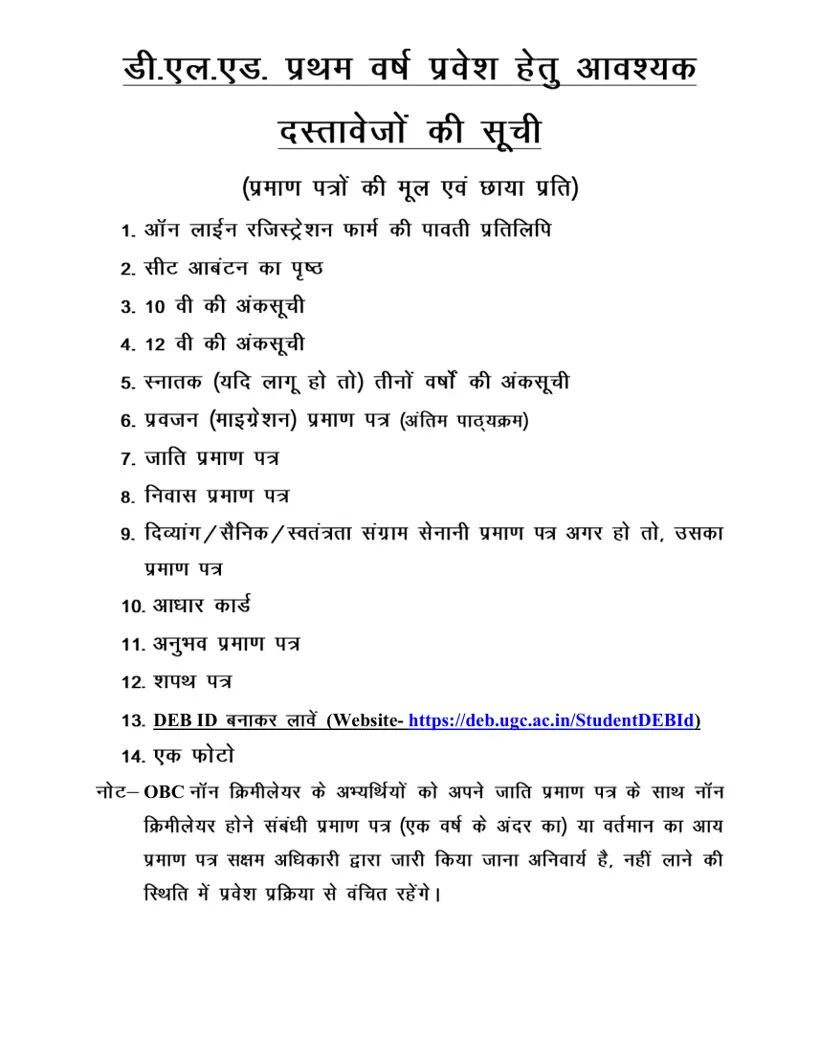
- PSSOU DElEd Admission Required Documents List 2026 PDF — List of required original and photocopy documents for candidate verification during DElEd first year admission in 2026.
- PSSOU ODL Mode Diploma Courses Admission Notification 2026-27 PDF — Notice regarding online admissions for Open and Distance Learning diploma and certificate courses for the academic session July 2026 to June 2027.
- PSSOU Online Admission Notification Academic Session 2026-2027 PDF — Notification details online admission process and schedule for various degree and diploma courses for the academic session July 2026 to June 2027.